Connecting your ISP billing software with M-PESA is about more than just adding another payment option. It's about tapping directly into the way Kenya does business. By hooking your system into Safaricom's M-PESA APIs, you automate how you collect money, activate services the moment a customer pays, and slash your administrative workload. You're simply aligning with the most dominant payment method in the country.
Why M-PESA Integration Is Essential for Kenyan ISPs
For any serious Internet Service Provider in Kenya today, M-PESA integration isn't a "nice-to-have" feature; it's a core part of your business strategy. When you build your payment process around the country's go-to mobile money platform, you create a smooth, frictionless experience for your subscribers. This is the bedrock of customer retention and growth.
The impact is immediate. We've seen ISPs dramatically cut down on late payments and see a massive improvement in their cash flow, just by meeting customers on their own turf. It also opens your doors to a huge part of the population that relies almost entirely on mobile money, instantly expanding your potential market.
Transforming Your Operations
Let's be honest: manual payment reconciliation is a huge time sink. It's a tedious cycle of checking M-PESA statements, matching them to customer accounts, and then manually updating your billing system. This process is not only slow but also full of opportunities for human error, costing you both time and money.
Now, imagine this instead. A customer pays their monthly internet bill using M-PESA. A system like Centipid Billing gets an instant notification from the API, confirms the payment is correct, matches it to the right customer and invoice, and automatically extends their service. Your operations shift from being reactive to proactive. You stop chasing payments and let the system handle the heavy lifting.
The strategic advantage is clear. For Kenyan ISPs, a robust CRM with M-PESA integration is a direct path to accelerating growth and improving customer success by streamlining the entire subscriber lifecycle from sales to payment.
To fully appreciate the shift, let's look at the direct operational benefits.
M-PESA Integration Impact on ISP Operations
| Operational Area | Before M-PESA Integration | After M-PESA Integration |
|---|---|---|
| Payment Collection | Manual tracking of M-PESA messages and bank statements. Frequent follow-ups for late payments. | Fully automated. Payments are instantly recorded against customer accounts. |
| Service Activation | Staff must manually activate/renew accounts after verifying payment, causing delays. | Instant, automated service activation or renewal upon successful payment. |
| Cash Flow | Unpredictable, with delays between payment, reconciliation, and usable funds. | Immediate and stable. Revenue is recognised and available in near real-time. |
| Customer Support | High volume of calls about payment status, service disconnections, and account errors. | Drastic reduction in billing-related queries, freeing up support staff for other issues. |
| Financial Reporting | Time-consuming and error-prone monthly reconciliation processes. | Accurate, real-time financial data and reports available on demand. |
This table summarises how an integrated system fundamentally changes the rhythm of your daily business, moving you from manual labour to automated efficiency.
Meeting Customer Expectations
By integrating with a payment method your customers already trust and use daily, you eliminate friction and build real loyalty.
Here's what that delivers for your bottom line:
- Automated Collections: Radically reduces the manual work needed to track and reconcile payments.
- Improved Cash Flow: Payments land and are processed instantly, giving you a stable, predictable revenue stream.
- Enhanced Customer Loyalty: A simple, reliable payment experience means fewer frustrated customers and less churn.
- Reduced Administrative Overhead: Your team can finally focus on growing the business and supporting customers, not chasing down billing details.
Ultimately, picking the right billing platform is what makes this all possible. With a specialised tool like Centipid Billing, you ensure your M-PESA setup isn't just a payment gateway, it's the engine for an efficient and scalable business.
Mapping Your Automated Payment Workflow
Getting your automated payment journey right is the key to unlocking real efficiency with your ISP billing and M-PESA integration. This is your blueprint, showing how information flows between your customer, the Centipid Billing system, Safaricom's Daraja API, and your MikroTik router. When set up correctly, this completely removes the need for manual payment verification. It’s what takes your operations from tedious reconciliation to automated growth.
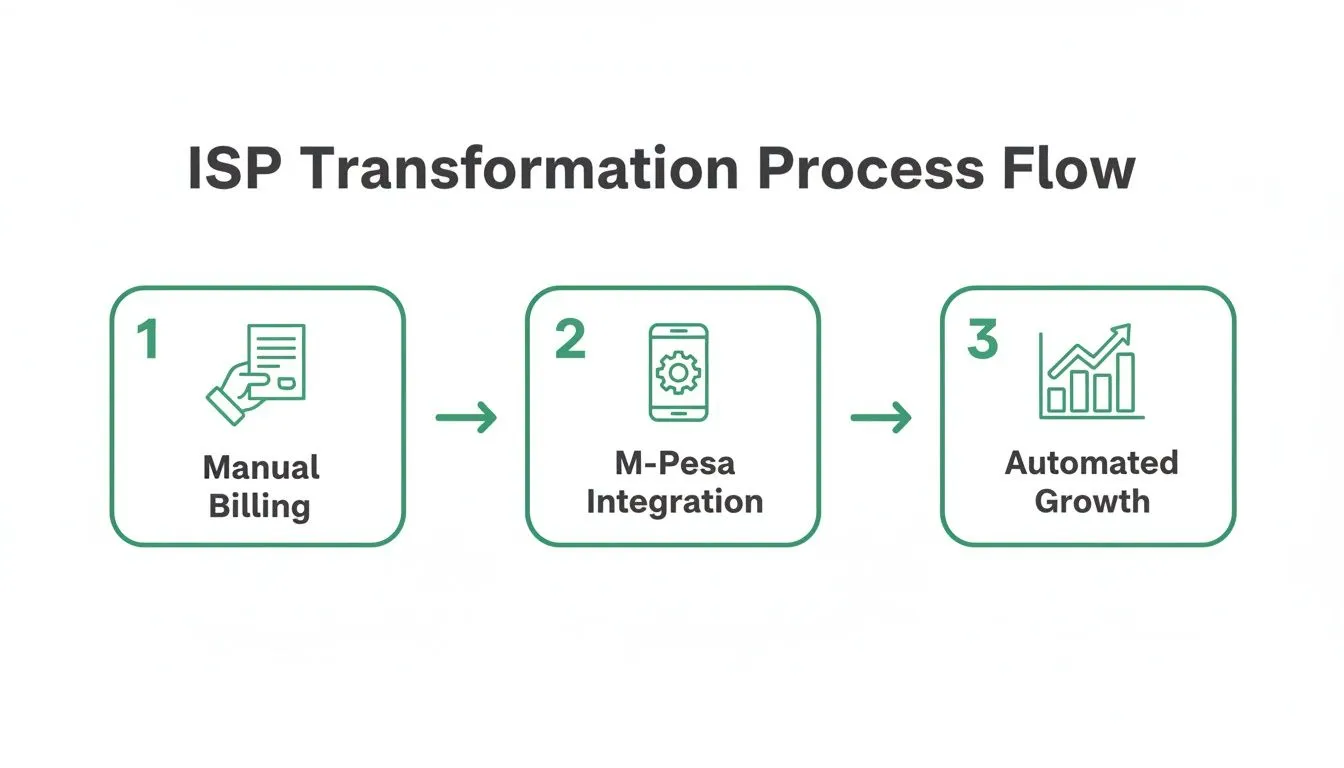
The flowchart above gives you a bird's-eye view of the transformation we see ISPs go through all the time. They start with messy, manual processes and end up with a smooth, scalable operation built on M-PESA. This leap from paperwork to a growing, automated system really drives home the power of connecting your billing directly to mobile money.
The Customer-Initiated Payment Flow
It all starts with your customer. When their internet subscription is due, they can pop into their Centipid self-service portal, check their invoice, and hit "Pay Now." That single click sets off a rapid chain of events, all happening behind the scenes in a matter of seconds.
From here, you’ve got two main ways to collect the payment: an STK Push or a standard Customer-to-Business (C2B) Paybill payment. Both get the job done, but they offer different experiences for your customers and have different operational quirks. You need to understand the data flow for both to make the right choice for your business.
Comparing STK Push vs. C2B Paybill
Which payment method you lean on will shape your customer's experience and your own internal processes. Each has its own clear benefits.
The STK Push Workflow
In my experience, the STK Push is the slicker, more user-friendly option. It's proactive and takes the guesswork out of paying.
Here’s how it unfolds:
- Initiation: Your customer clicks "Pay" in their portal. Instantly, Centipid Billing makes an API call to the Safaricom Daraja platform, requesting the exact invoice amount from the customer's phone number.
- Prompt: The customer gets a pop-up directly on their phone. All they have to do is enter their M-PESA PIN to authorise the transaction. No fumbling with Paybill numbers or account details.
- Authorisation: Once they enter their PIN and hit confirm, M-PESA processes the payment.
- Confirmation: Daraja then fires off a webhook notification to Centipid's "Confirmation URL." This is a secure message packed with all the transaction details.
- Reconciliation & Activation: Centipid validates the info, automatically marks the invoice as "Paid," and, this is the magic, sends an API command to your MikroTik router to renew or activate the customer's plan. The whole thing is over in seconds.
An STK Push delivers a much better user experience. It minimises what the customer has to do and nearly eliminates common mistakes like paying the wrong amount or mistyping an account number.
The C2B Paybill Workflow
The more traditional C2B route gives customers more control but also puts more responsibility on them.
With this method, the customer has to:
- Open their M-PESA menu and navigate to the Paybill option.
- Manually type in your ISP's Paybill number.
- Correctly enter their unique customer account number (which Centipid provides) and the exact payment amount.
The biggest headache here is human error. A customer might mistype their account number or pay the wrong amount, which can cause a real reconciliation nightmare for your team.
Thankfully, as detailed on https://docs.centipidbilling.com, the platform has smart logic built in to catch these issues. It can handle partial payments or payments from unrecognised account numbers by flagging them for manual review instead of letting them get lost in the system.
A well-rounded payment workflow also uses tools like a payment text message to keep customers in the loop. These automated SMS confirmations build trust and give customers a clear record of their payment. This entire workflow is the engine that makes a hands-off payment and service delivery model a reality. For a deeper dive into structuring your entire billing operation, our guide on ISP billing software is a great place to start.
Connecting M-PESA Inside Centipid Billing
Alright, let's get our hands dirty and connect the M-PESA payment gateway directly within your Centipid Billing dashboard. This is where the magic happens, as you’ll be building the bridge between your billing system and Safaricom’s Daraja API for a seamless ISP billing with M-PESA mobile money integration.
Thankfully, Centipid centralises all the necessary configuration options. You won't have to go on a scavenger hunt through different menus to get things running. Following the process laid out in the official documentation at https://docs.centipidbilling.com, it’s really just a matter of plugging the right details into the right fields.
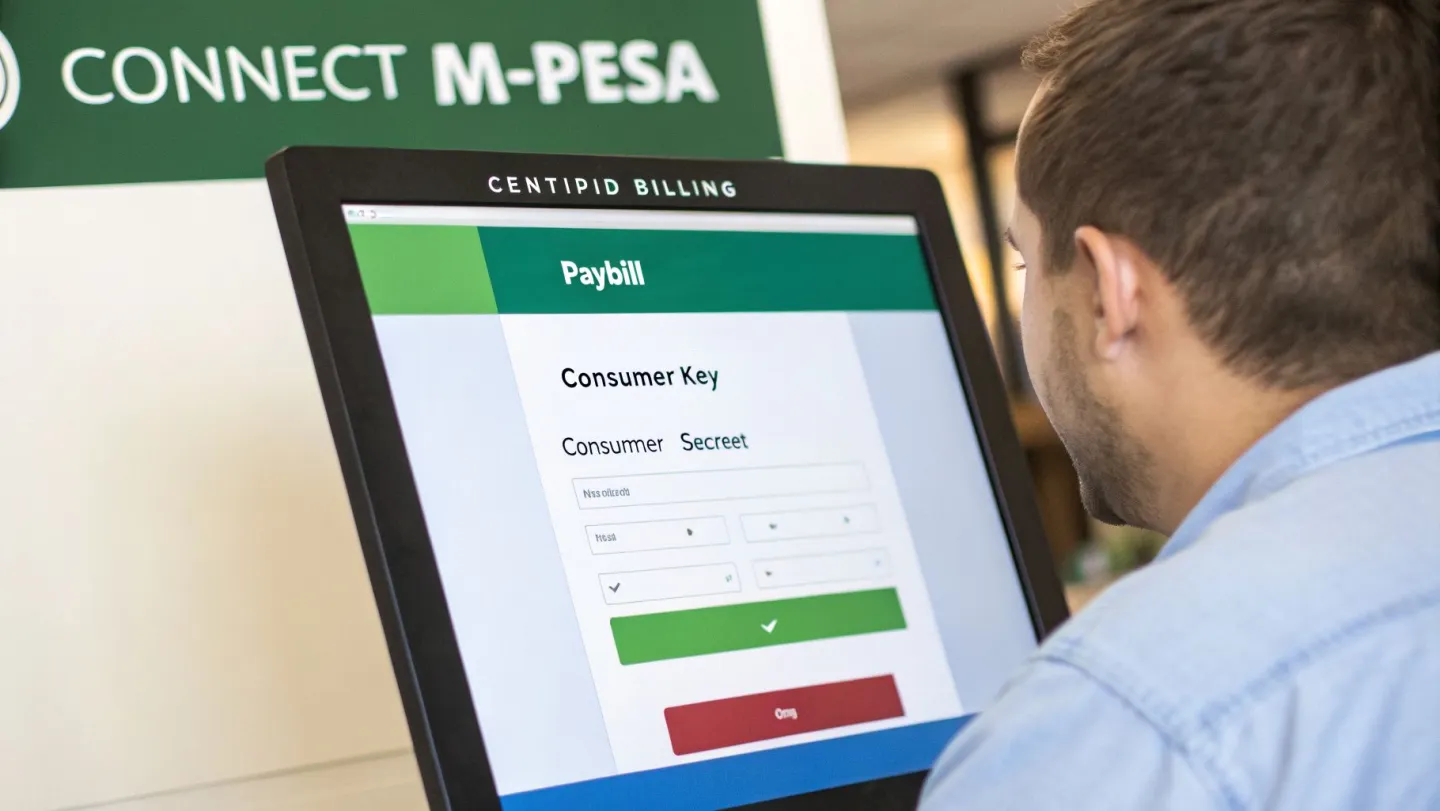
The image above shows the clean, simple interface your customers will see. Our goal now is to build the robust back-end configuration that powers that simplicity, making sure every single transaction is processed flawlessly.
Entering Your M-PESA Credentials
First things first: you'll need to grab your API credentials from Safaricom and feed them into Centipid. These keys are what authorise your billing system to talk to Daraja on behalf of your Paybill. Think of them as the secure digital handshake between the two platforms.
From your Safaricom Daraja portal account, you'll need two main pieces of information:
- Consumer Key: Your app’s unique identifier.
- Consumer Secret: The password that goes with your app's key.
Head over to the payment gateways section in your Centipid Billing dashboard. You’ll find specific fields ready for your Paybill number, Consumer Key, and Consumer Secret. Accuracy here is absolutely critical. I always recommend copying and pasting these credentials directly from the Daraja portal, a single typo will break the connection.
Fine-Tuning Payment Behaviours
A truly effective billing system goes beyond just accepting money; it intelligently handles the messy reality of customer payments. Centipid shines here, giving you granular control to customise the automation based on your ISP's own business rules.
For example, what happens when a payment comes in from an unrecognised account number? Instead of simply rejecting it and frustrating a customer, you can set Centipid to flag and hold the payment. An admin then gets a notification and can manually map the payment to the right subscriber. No lost revenue, no confused customers.
Centipid's real strength is how gracefully it manages exceptions. By setting up rules for partial payments or unrecognised accounts from the start, you slash the need for manual work and build a much more resilient billing operation.
You also need a clear policy for partial payments. Do you grant a partial service extension, or does the invoice stay open until it's fully paid? Centipid lets you automate this decision, freeing up your support team from having to chase down these accounts manually. These settings transform your ISP billing with M-PESA mobile money integration from just functional to genuinely smart.
While you're in the setup mindset, it’s a great opportunity to think about how billing interacts with your wider network. For ISPs running more complex infrastructures, knowing how to configure a MikroTik RADIUS server is an excellent complementary skill for tightening your operational control. With your credentials saved and your rules defined, your system is now officially ready to start processing M-PESA payments automatically.
Configuring the Safaricom Daraja Portal
Now that Centipid is set up, it's time to tackle the other side of the equation: the Safaricom Daraja developer portal. This is where you’ll create your M-PESA application, get your live API credentials, and, most importantly, tell Safaricom where to send payment notifications. Nailing this part is absolutely critical for a reliable, automated ISP billing with M-PESA mobile money integration.
Your first stop is the Daraja dashboard. Here, you'll create a new application. During this process, Safaricom generates the crucial Consumer Key and Consumer Secret that you already configured in Centipid. Treat these credentials like the keys to your digital cashbox, store them securely and never, ever share them publicly.
With your application live, the next vital task is registering your webhook URLs. This is how Daraja talks back to Centipid in real-time, letting your system know the moment a payment comes through.
Understanding Validation and Confirmation URLs
If you look in your Centipid M-PESA gateway settings, you'll see two unique URLs generated just for your system: a Validation URL and a Confirmation URL. You need to carefully copy these and paste them into the corresponding fields within your new Daraja application.
It's worth taking a moment to understand what each one actually does.
- The Validation URL: Think of this as a quick security check. Before Safaricom trusts your system with live payment data, it sends a single test message to this address. Centipid is built to catch this message and reply with an "OK." This handshake confirms to Safaricom that your endpoint is genuine, online, and ready to receive data. It’s a one-off check to ensure you're not sending sensitive notifications into the void.
- The Confirmation URL: This is the main highway for all your payment data. Every time a customer successfully pays your Paybill, Safaricom immediately sends a detailed notification to this URL. Centipid then gets to work, processing the data, matching it to a customer's invoice, and automatically restoring their service. This is the endpoint that keeps the whole automated system running.
Getting these two URLs right is the single most important part of the Daraja setup. If the validation fails, Safaricom won't even register your endpoint. If the Confirmation URL is wrong, you simply won't get any payment notifications, and your automation will be dead in the water.
As a quick tip from experience, always double-check the URLs after pasting them into the Daraja portal. A single typo or a missing character can bring your entire payment workflow to a standstill. For more detailed guidance, the official documentation at https://docs.centipidbilling.com is always a great resource.
Decoding the M-PESA Payment Payload
When a customer pays, Daraja doesn’t just send a "payment received" alert. It sends a structured block of data, known as a JSON payload, packed with useful information. Understanding this data helps you see what's happening behind the scenes and makes troubleshooting a whole lot easier down the line.
While Centipid is designed to parse this automatically, knowing the key fields is empowering. Here’s a quick look at the essential info M-PESA sends with every transaction.
| Key Field | What It Means | Example |
|---|---|---|
TransactionType |
Identifies the transaction type. For Paybill, this is usually "Pay Bill." | Pay Bill |
TransID |
The unique M-PESA transaction ID. This is your main reference for any payment. | SBC7123XYZ |
TransAmount |
The exact amount paid by the customer, in Kenyan Shillings. | 1500.00 |
BillRefNumber |
The account number the customer entered. This should be the Customer ID from Centipid. | CUST-00123 |
MSISDN |
The customer's M-PESA phone number in the 254xxxxxxxxx format. |
254712345678 |
FirstName |
The first name tied to the customer's M-PESA account. | John |
Centipid uses the BillRefNumber to match the payment to the correct subscriber account in your system. It then checks if the TransAmount matches what's owed. If everything lines up, the TransID is logged for reconciliation, and the customer’s internet service is instantly activated. It's this fast, intricate process that makes the automation so powerful.
Keeping Your Payments Secure and Your Books Clean
Once your integration is up and running, your focus naturally shifts to the day-to-day business of managing payments. A solid ISP billing with M-PESA mobile money integration isn’t a "set it and forget it" project. It’s about building a secure, efficient, and trustworthy operation that protects your revenue and keeps your customers happy.
Think of your Safaricom API keys as the literal keys to your M-PESA till. You wouldn't leave those lying around. Store them securely inside your Centipid dashboard and never, ever expose them in public code or on your website. Another critical security layer is IP whitelisting for your webhook endpoints, as detailed in the Centipid documentation. This simple step ensures that your system only listens to payment notifications coming directly from Safaricom’s servers, effectively slamming the door on any fraudulent attempts to create fake payments.
Taking the Headache Out of Reconciliation
Let’s be honest: manual reconciliation is a nightmare. Spending hours poring over M-PESA statements and trying to match them to customer invoices is not only tedious but also ripe for human error. This is precisely where a dedicated system like Centipid Billing pays for itself.
Centipid’s reporting features are built to kill this admin task completely. When a customer pays via the Daraja API, the system instantly logs that transaction against the correct invoice and customer account. At the end of the month, instead of a week of paperwork, you just pull a clean report. Every transaction ID is perfectly matched to a paid invoice, giving you a crystal-clear view of your revenue.
The real win here is shifting your team’s focus from "Did we get paid?" to "What do our revenue trends tell us?" Automated reconciliation frees up your people to analyse the business instead of just chasing paperwork, flagging only the rare exceptions that need a human touch.
This move towards automation mirrors a massive trend in Kenya. The merchant ecosystem is exploding, with around 633,000 active businesses using Lipa Na M-PESA as of 2024. Even more telling is the adoption of the M-PESA Business App, where active users skyrocketed from 142,000 to 301,000 in a single year by . This shows an undeniable appetite for digital payment tools among Kenyan businesses. You can dig deeper into these numbers in this detailed statistical overview.
Handling Real-World Payment Scenarios
No matter how good your system is, customers will do unpredictable things. Your success often comes down to how well you handle the inevitable exceptions, overpayments, underpayments, and even the occasional reversal. A clear, automated policy for these situations not only reduces support calls but also builds immense trust with your subscribers.
Here’s some field-tested advice for managing these common situations:
- Underpayments: It happens. A customer aims to pay KSh 1,500 but accidentally sends KSh 1,400. Instead of cutting them off, Centipid can be set to mark the invoice as "Partially Paid" and automatically send a polite notification about the small outstanding balance. It avoids friction over a simple mistake.
- Overpayments: What about the customer who pays KSh 2,000 by mistake? The best practice, and Centipid's default behaviour, is to apply the extra KSh 500 as a credit to their account. This credit is then automatically used on their next invoice. It's a fair and transparent approach that customers really appreciate.
- Payment Reversals: Though less common, a customer might reverse a payment directly with Safaricom. Your billing system needs to react to this. The integration can log the reversal, reopen the original invoice, and, depending on your rules, suspend the service until the payment is sorted out.
By defining these rules upfront in your billing system, you create a fair and predictable experience for everyone. If you’re looking for other ways to offer flexible payment options, you might also find our guide on how to manage internet vouchers useful, as they pair perfectly with an M-PESA setup.
Got Questions About Your M-PESA Integration? We’ve Got Answers.
Even the most well-thought-out integration plan will have a few question marks. From my experience working with ISPs, the same practical concerns pop up time and again when automating payments with M-PESA. Let's walk through some of the most common ones and see how a system like Centipid is already built to handle them.
Paybill or Till Number? What’s the Right Choice for an ISP?
This comes up a lot, and for any ISP, the answer is almost always a Paybill. It’s the clear winner.
Paybills are designed for exactly what you’re doing: collecting payments for services remotely. The most important feature is that they force the customer to enter an account number. This is the secret sauce for automation, as it allows a payment to be instantly and accurately matched to a specific subscriber's account in your billing system, like the Customer ID that Centipid generates automatically.
A 'Buy Goods' Till Number, on the other hand, is built for in-person transactions, like buying coffee or paying at a shop. There's no field for an account number, which means you'd be stuck trying to manually figure out who just paid you. For smooth, automated recurring billing, you absolutely need a Paybill.
What Happens When an STK Push Payment Fails?
Failed payments are just part of the business. A customer might have insufficient funds, get distracted and let the prompt time out, or simply cancel it. A solid billing system needs to handle this without creating a mess.
When an STK push fails, the M-PESA Daraja API immediately sends a notification right back to Centipid. The system instantly knows the payment didn't go through. The customer’s invoice simply remains marked as 'Unpaid' in their portal, and their service isn't mistakenly activated. No confusion, no free service.
The real magic, as we detail in our documentation, is what happens next. Centipid’s dunning features can automatically send the customer a follow-up SMS reminder or even retry the STK push later. You set the rules once, and the system handles the collections for you.
This turns a potential support ticket and a lost payment into a completely hands-off recovery process.
Can I Test Everything Before Going Live with Real Money?
Not only can you, but you absolutely should. Never test with live customer payments.
Safaricom provides a fantastic Sandbox environment through its Daraja portal. It's a complete replica of the live M-PESA system, designed specifically for testing. You can hook your Centipid instance up to the sandbox credentials and run through the entire payment flow without a single shilling changing hands.
You’ll be able to:
- Trigger STK pushes from a test customer's portal.
- Use Safaricom's test phone numbers to simulate a successful payment.
- Confirm that your Centipid system gets the confirmation webhook.
- Check that the customer's account is marked as paid and their service is activated.
Walking through this process gives you total confidence that everything is wired up correctly before you flip the switch for your actual subscribers. It's a critical step we insist on.
A Customer Paid the Wrong Amount. Now What?
It happens all the time. Someone pays Ksh 950 instead of Ksh 999, or they accidentally pay twice. How your system handles these simple human errors can either create a support nightmare or build customer trust.
Centipid is designed to manage these discrepancies automatically and transparently.
- Underpayments: If a customer pays less than the invoiced amount, the system marks the invoice as 'Partially Paid'. You can then have Centipid automatically send them a polite notification about the small outstanding balance. Their service stays on, and you avoid cutting someone off over a simple mistake.
- Overpayments: When a customer pays too much, that extra money isn't lost in a spreadsheet somewhere. Centipid automatically applies the surplus as a credit to their account. The next time an invoice is generated, that credit is used first, reducing their bill.
This smart logic keeps your accounting clean and frees up your support team from handling routine billing questions. It’s one more way a purpose-built ISP billing with M-PESA mobile money integration makes your operations more resilient and your customers happier.
Ready to stop chasing payments and start automating your growth? Centipid Technologies Ltd. delivers a billing platform that deeply integrates with M-PESA and MikroTik to put your ISP's revenue operations on autopilot. Start your 14-day free trial and see the difference.