
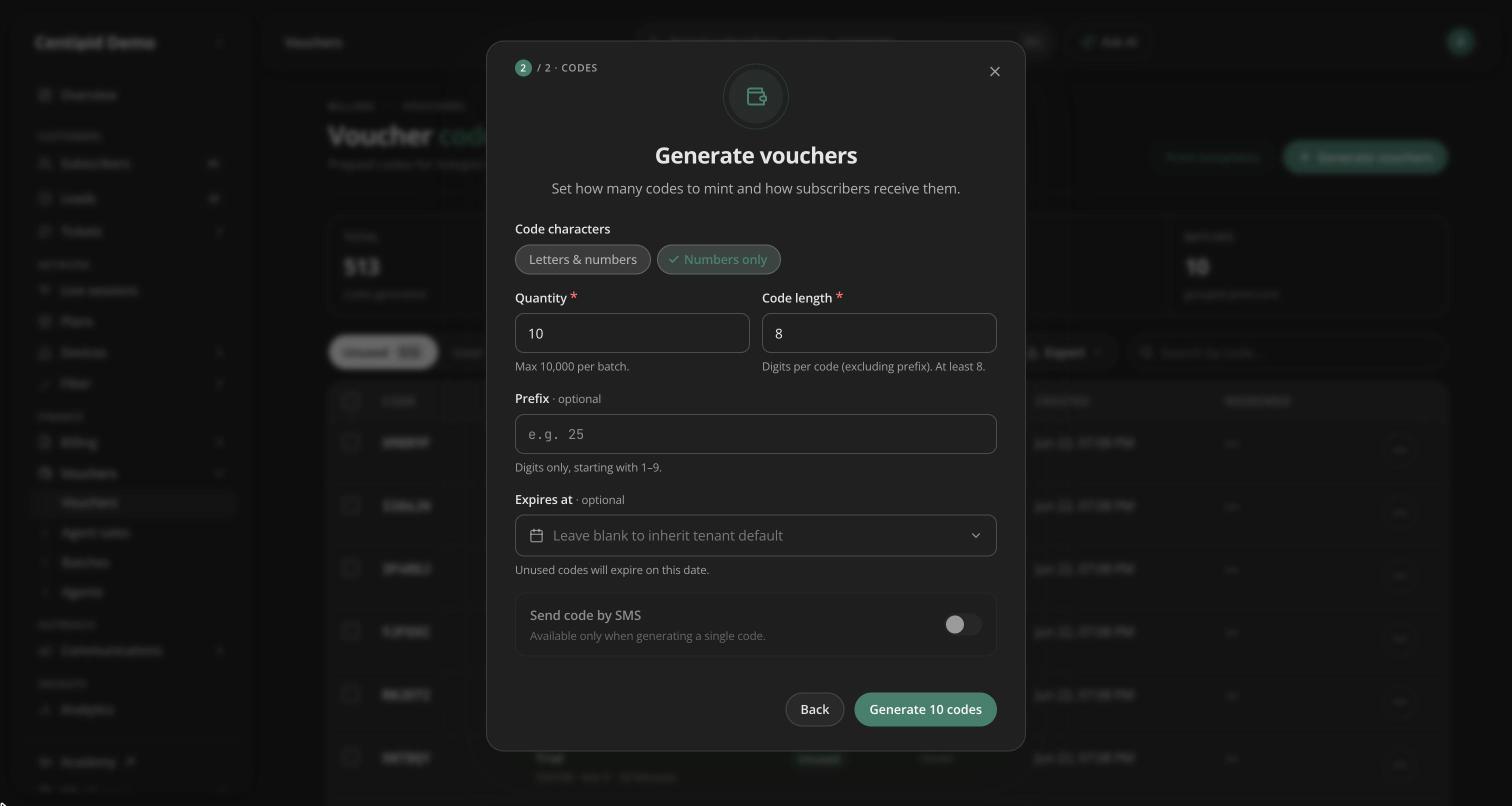
You can now create vouchers that use digits only, like 58372914, instead of a mix of letters and digits like AB7K9X2P. Many customers find digits easier to read, remember and type.
How to use it
- Open Vouchers, choose Generate vouchers, pick a package and select Continue. On an agent's row in Agents, choose Generate vouchers from the actions menu.
- Under Code characters, choose Numbers only.
- Set the quantity, code length and an optional prefix, then generate.
Your browser remembers your choice, so you only pick it once. Letters & numbers stays the default.
Good to know
- Numbers-only codes are at least 8 digits long, so they stay hard to guess.
- A numbers-only code never starts with 0, so a spreadsheet can't drop the first digit.
- A prefix for numbers-only codes must be digits, such as
25, and can't start with 0. - A new voucher code is never the same as one of your subscribers' usernames, such as a phone number.
- The Excel (XLSX) voucher export now keeps long numeric codes exactly as generated.
- Vouchers sent from a subscriber's profile with Send voucher still use letters and numbers.